
Dragon Tower Defense Currencies Guide: What Coins, Potions and Eggs Do and What to Spend First
Coins are the main currency in Dragon Tower Defense: they upgrade dragons in battle and summon new ones in the lobby. See what Coins, potions and Eggs do, where Gems and Crystals come from, and which balance to spend first.
Quick answer
Coins are Dragon Tower Defense's main currency and the balance to spend first. In battle they buy, upgrade and evolve your dragons; in the lobby they summon new dragons on a screen with low drop rates and a pity system that grows the more you open. Coin Potions increase coin gains, Luck Potions improve luck for summons, and Eggs open new dragons for your collection. Gems and Crystals are sold in the game's Roblox developer-product shop, but the listing itself does not state what they do.
Every currency and resource at a glance
Dragon Tower Defense tracks one working currency, Coins, plus a set of named resources and consumables. The table collects what each one does and where it comes from; the sections after it develop the details that matter for spending decisions.
Data table
- Balance
- Coins
- What it is used for
- Main currency: buys, upgrades and evolves dragons in battle; summons new dragons in the lobby
- Where it comes from
- Battle victories, Dragon Index claims, working codes
- Balance
 Coin Potion
- What it is used for
- Increases coin gains; activate when you plan to earn
- Where it comes from
- Working codes and Robux shop packs
- Balance
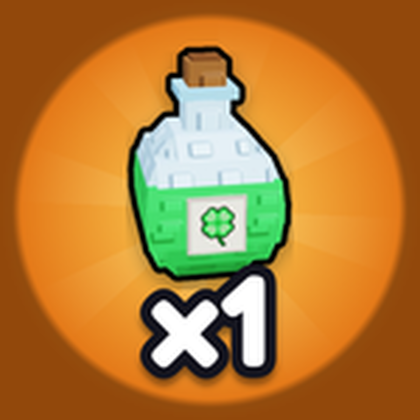 Luck Potion
- What it is used for
- Improves luck for summons; activate when you plan to summon
- Where it comes from
- Working codes and Robux shop packs
- Balance
- Eggs
- What it is used for
- Open new dragons for your collection and Dragon Index
- Where it comes from
- Working codes
- Balance
 Gems
- What it is used for
- Not stated in the shop listing
- Where it comes from
- Robux shop packs of 200, 1,000, 4,000 and 10,000 Gems
- Balance
 Crystals
- What it is used for
- Not stated in the shop listing
- Where it comes from
- Robux shop packs of 500, 1,200, 3,000 and 10,000 Crystals
- Balance
 Endless Crystals
- What it is used for
- Not stated in the shop listing
- Where it comes from
- Robux shop packs of x2 and x4
- Balance
 Trait Shards
- What it is used for
- Usable at the lobby Trait Altar
- Where it comes from
- Robux shop packs of 3, 10 and 50; also appears among Nightmare victory rewards
- Balance
 Endless Key
- What it is used for
- Not stated in the shop listing
- Where it comes from
- Sold as a single x1 Endless Key Robux product
Coins: the balance everything runs on
Coins do double duty. Inside a battle they are your build funds: a run starts you with limited cash (about $500 or $600, with the exact amount varying by map and difficulty), and every dragon in your deployment bar carries a price tag — one Nightmare loadout listed its five slots between $420 and $1,000. Clicking a placed dragon opens its panel, where Upgrade and Evolve buttons show the cash cost right on the button (labels like Evolve $550 (E)), the panel previews the next level's stats (one Sun panel showed Damage going from 10.2 to 51), and a Sell option refunds cash when you want to rebuild your line (Sell +$775 (X)).
That setup creates the game's core Coin decision: before each purchase, decide whether the next spend should add a new dragon to your options or improve a dragon you already have deployed. Both are legitimate plays; which one is right depends on whether your current lineup can hold the incoming waves.
Coins also replenish from normal play, which is why they are the safe first spend. Clearing waves pays out — a Nightmare run that survived all 60 waves paid a +1,200 Coins win reward, and +2,400 total on an account with the 2x Coins Pass. Unlocking dragons feeds you more: the Dragon Index lets you claim Coins, and the claims scale with how many dragons you have unlocked. Working codes such as candy pay out Coins and potion items. For daily and weekly quests themselves, see the daily and weekly quests pages. For a dedicated earning plan, see how to get Coins fast, and redeem the current Dragon Tower Defense codes before you play.
Summoning: the main Coin sink in the lobby
In the lobby, the summoning screen converts Coins into new dragons. Drop rates are low — individual dragons sit at percentages as small as 1% — but every opening builds your pity, and higher pity raises your chances, so repeated summoning works like progression rather than a pure gamble. It also loops back into earning: every dragon you unlock increases your index claims, and those claims fund the next round of summons.
Potions: boosts you time, not balances you hoard
Two potion types touch your currencies. Coin Potions increase coin gains; Luck Potions improve luck for summons. Match the boost to the activity: activate the coin potion when you plan to earn currency, and the luck potion when you plan to summon. Before activating either, read its in-game description so you know exactly what you are committing it to. Both arrive free from working codes like candy, and the Robux shop sells each type singly and in 10-packs (see potions).
Eggs: collection growth in one open
Eggs skip the drop-rate grind: opening one adds dragons straight to your collection. They fill out your index and give you fresh ways to handle the game's different maps and bosses. Duplicates are possible — one three-Egg code redemption produced two dragons the player already owned and only one genuinely new unit — so an Egg haul is not automatically three new dragons. Eggs come from working codes such as secret (more in the eggs guide).
Gems, Crystals, Endless Crystals, Trait Shards and the Endless Key
The game's Roblox developer-product shop names several resources besides Coins: Gems in 200, 1,000, 4,000 and 10,000 packs; Crystals in 500, 1,200, 3,000 and 10,000 packs; Endless Crystals in x2 and x4 packs; Trait Shards in 3, 10 and 50 packs; and a single x1 Endless Key product, sitting alongside the Coin and potion packs. Prices are in Robux and several have changed over time, so treat any figure you see as movable. What the listing does not do is state what these resources do in-game — that is the honest limit of what the shop tells you.
One of them has a documented destination: Trait Shards are usable at the lobby Trait Altar, and a Trait Shard appeared among the rewards for clearing wave 60 of a Nightmare run. Trait Shards therefore act like a keyed material rather than a spending balance — when you have one, take it to the altar (see how to get Trait Shards and traits). For Gems, Crystals, Endless Crystals and the Endless Key, the shop confirms they exist and which packs are sold, while their in-game jobs are not described in the listing; the dedicated pages for crystals, Endless Crystals, the Endless Key and getting Gems are the place to watch as that picture develops.
Which balance should you spend first?
Coins, for three mechanical reasons:
- Coins have the only documented sinks you will use constantly: in-battle upgrades and evolutions, and lobby summoning.
- Coins replenish on their own through victories, index claims and codes, so spending them down converts play into power instead of leaving value idle.
- Pity makes every Coin spent on summons build toward better odds, so early summoning steadily improves your chances.
The rest sorts by type rather than by balance. Potions are timed consumables — activate the one that matches your next activity. Trait Shards are keyed materials — take them to the Trait Altar. Eggs are worth opening as you get them, with the duplicate caveat above. Gems and Crystals have no stated use in the shop listing, so nothing documented asks you to save them or spend them ahead of Coins.
In a frame-verified Nightmare wave-60 popup, the revive options were Watch Ad: Revive, Free Revive (daily) and No, with no coin or gem cost among them. In that run, anyone on the team could revive the castle for the whole team, and reviving pushed the enemies all the way back. So at least in that run, a lost castle did not require banking a currency balance; the revives guide covers the options.